How AI Hair Color Preview Can Save You From a Bad Dye Job
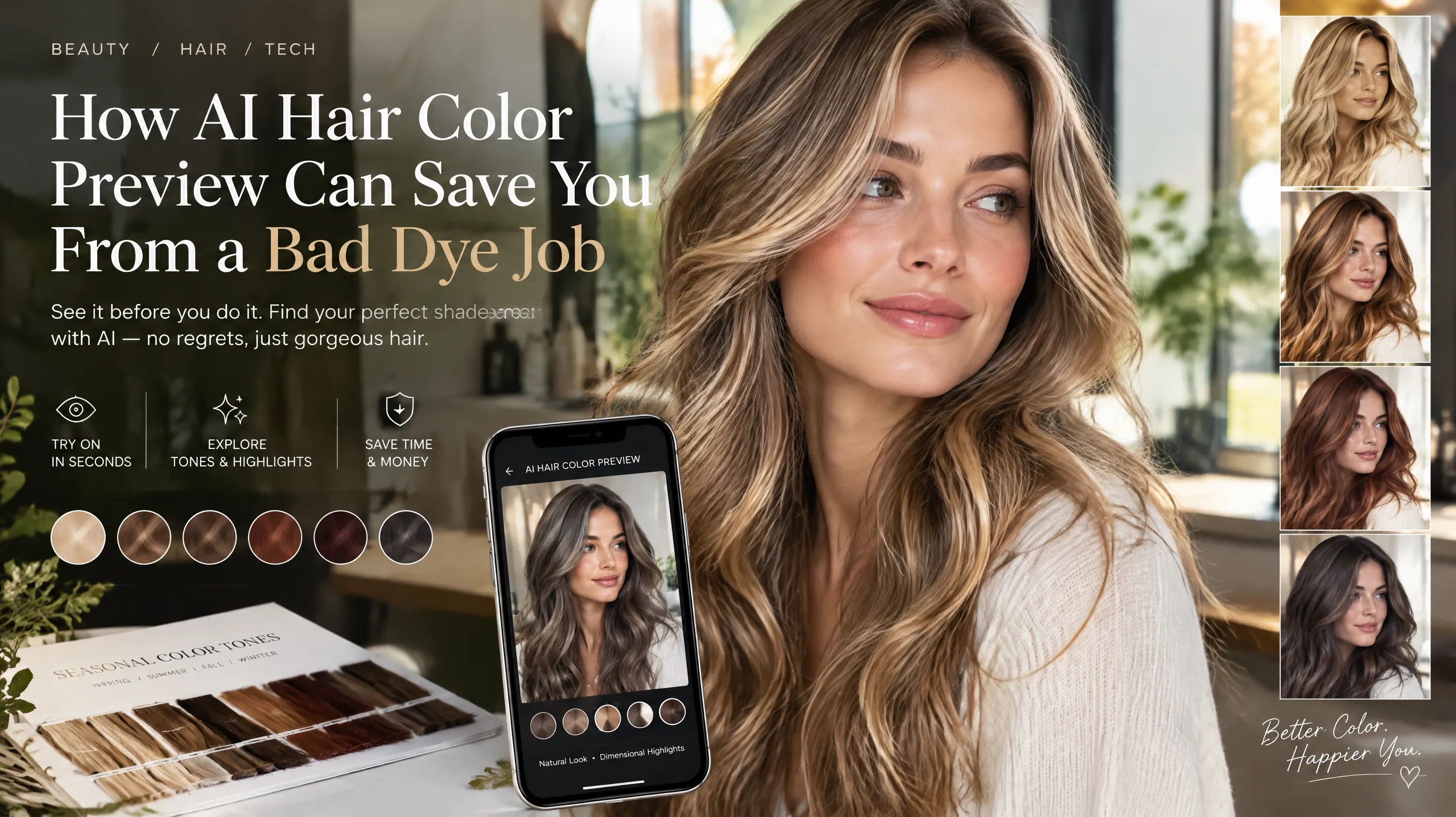
The $200 Mistake I'll Never Make Again
Two years ago, I walked into a salon with a Pinterest screenshot of ash blonde balayage. Three hours and $280 later, I walked out with something closer to orange-tinged brass. My cool-toned skin looked sallow. My eyes looked washed out. I spent the next six weeks cycling through toning shampoos and emergency color corrections before I felt like myself again.
Sound familiar? According to a 2024 survey by Statista, nearly 40% of women who dye their hair have experienced at least one color they deeply regretted — many costing $150–$400 to fix. The problem isn't bad stylists. The problem is that we're making irreversible decisions about a major feature of our appearance based on... photos of other people's hair. On different skin tones. Under different lighting. With different undertones.
That's where AI hair color preview has genuinely changed the game. And no, I'm not talking about those early Instagram filters that just painted a flat color over your head. The technology has evolved dramatically — and it's now genuinely useful for making smarter hair decisions.
Why Reference Photos Fail Us
Here's the fundamental issue with bringing a reference photo to your colorist: you're looking at how a color interacts with someone else's skin, eyes, and natural hair. Unless that person happens to share your exact undertone, contrast level, and natural base color, the same shade will look entirely different on you.
The variables that matter:
- Skin undertone — Warm skin can turn cool ash tones muddy; cool skin can make warm coppers look orangey
- Natural hair level — Going from level 2 (near-black) to platinum requires multiple sessions and creates different results than starting from level 6 (light brown)
- Eye color contrast — High-contrast features (dark eyes + light skin) need different depth relationships than low-contrast ones
- Face shape interaction — Lighter colors visually expand; darker colors recede. This changes how your face shape is perceived
- Lighting conditions — The salon mirror under fluorescent lights ≠ your bathroom mirror ≠ sunlight ≠ your office
Professional colorists understand these variables intuitively after years of training. But most of us can't visualize how "honey blonde level 7 with caramel lowlights" will actually translate to our specific features. We need to see it.
See your personal color palette now
Upload a photo — get your AI beauty report in 60 seconds.
How AI Hair Color Preview Actually Works
Modern AI hair color tools use a combination of technologies that have matured significantly since 2023:
1. Hair Segmentation
The AI first identifies exactly which pixels in your photo are hair versus skin, background, or clothing. This uses convolutional neural networks trained on millions of images — the same core technology behind portrait mode on smartphones, but specialized for hair boundaries. It handles flyaways, baby hairs, and complex styles like braids or curly textures with surprising accuracy.
2. Undertone Analysis
Better tools don't just slap a color on your hair. They first analyze your skin's undertone and your natural hair's base level. This context is crucial — it determines not just which colors to show you, but how those colors will interact with your overall coloring.
3. Realistic Color Rendering
Early "try-on" tools simply applied a flat tint — like holding a colored transparency over your photo. Modern AI understands light, shadow, dimension, and natural hair variation. It renders highlights where light would naturally catch, maintains the look of root depth, and preserves the dimensional quality of real hair rather than creating an unrealistic "flat paint" effect.
4. Contextual Recommendations
The most sophisticated tools go beyond passive try-on. They actively recommend colors based on your analyzed skin tone, current season, and the principles of personal color analysis — showing you both your best options and your riskiest ones.
What to Look For in a Hair Color Preview Tool
Not all AI tools are created equal. Here's what separates genuinely useful ones from gimmicks:
Must-haves:
- Uses your actual photo — Not a generic face model
- Preserves dimension — Hair should still look like hair, not a flat color block
- Shows multiple angles (or at least works on different photos) — One angle can be misleading
- Considers undertone — The tool should acknowledge that "auburn" looks different on warm vs cool skin
- Clear lighting conditions — Results should specify that they're most accurate under neutral lighting
Red flags:
- Tools that only offer 5-6 color options (reality has hundreds of shades)
- No consideration of your current hair level (bleached hair vs virgin hair react totally differently)
- Results that look obviously filtered rather than natural
- Tools that can't handle complex hairstyles (curly, braided, multi-textured)
My Experiment: AI Preview vs Actual Salon Results
I decided to test how well AI prediction matched reality. Over the past year, I used AI hair color preview tools before three different salon appointments:
Test 1: Warm caramel highlights on my natural dark brown
- AI prediction: A soft, warm dimension that brightened my face
- Salon result: Almost exactly as predicted. The warmth added glow without overwhelm
- Match accuracy: 9/10
Test 2: Cool-toned ash blonde full color
- AI prediction: Showed it washing out my skin slightly, flagged as "risky for warm undertones"
- Salon result: I went ahead anyway. The AI was right — I looked tired and the cool tones clashed with my warm skin. Back to caramel within a month
- Match accuracy: 10/10 (should have listened)
Test 3: Coppery auburn
- AI prediction: Beautiful warmth that complemented my skin and eyes
- Salon result: Gorgeous for the first week, faded faster than predicted to a pinkish tone. The AI couldn't predict fading behavior
- Match accuracy: 7/10 (initial color was spot-on; longevity not predicted)
The takeaway: AI preview is remarkably accurate for initial color appearance and skin tone compatibility. It's less reliable for predicting fading patterns, maintenance requirements, and how color behaves over time on chemically treated hair.
The Color Season Connection
If you already know your personal color season (and if you don't, that's a worthwhile first step — AI color analysis tools can determine this in seconds), you have a massive head start on choosing hair colors.
Here's the framework:
| Season Family | Best Hair Directions | Avoid |
|---|---|---|
| Spring (warm, bright) | Golden blonde, honey, warm copper, strawberry | Ash tones, blue-black, cool platinum |
| Summer (cool, muted) | Ash blonde, cool brown, champagne, mushroom | Copper, warm red, golden tones |
| Autumn (warm, muted) | Auburn, chestnut, caramel, warm chocolate | Cool ash, icy platinum, blue-black |
| Winter (cool, bright) | Blue-black, espresso, cool dark brown, icy platinum | Golden blonde, warm copper, orange-reds |
AI hair color preview tools are most powerful when combined with this seasonal knowledge. You narrow down the general direction first (warm vs cool, light vs dark), then use the preview to fine-tune the exact shade. It's like GPS for your hair decisions — the season gives you the neighborhood, the preview shows you the exact house.
Practical Tips for Getting the Most Out of AI Preview
If you're about to use AI hair color preview before your next appointment, here's how to get the most accurate results:
-
Use a photo with neutral lighting. Natural daylight from a north-facing window is ideal. Avoid yellow indoor light or harsh direct sunlight.
-
Pull back any makeup. Especially foundation — the AI may misread your skin undertone if you're wearing a shade that doesn't perfectly match.
-
Use a front-facing photo with hair down. The more hair the AI can see, the more realistic the preview. Ponytails and buns limit the visualization.
-
Try multiple shades. Don't just test your first choice. Preview 3-5 options across the spectrum to see which actually brightens your face the most.
-
Compare with your "bad" options. Preview colors that your season analysis says to avoid. Seeing the contrast between flattering and unflattering is often more educational than just seeing the "good" options.
-
Show the preview to your colorist. A good stylist will appreciate seeing exactly what you're hoping to achieve, and can advise on whether the AI's prediction is achievable from your current base.
The Future of "Try Before You Dye"
The technology is evolving fast. Within the next year or two, we'll likely see:
- Real-time video preview that lets you move your head and see color from all angles
- Fade prediction — showing how a color will look at week 1, week 4, and week 8
- Lighting simulation — seeing your new color under office lights, restaurant ambiance, and outdoor sun
- Maintenance calculators — predicting how often you'll need touch-ups based on your natural growth rate and color difference
- Multi-process visualization — showing intermediate steps for complex transformations (e.g., "here's what you'll look like after the first session of going from black to blonde")
Some AI beauty tools, including apps like aicoloranalysis.io, already combine color season analysis with hair color preview — showing you both which shades suit your skin undertone AND how they'll actually look on your specific features. It's like having a colorist consultation in your pocket.
Key Takeaways
- Reference photos of other people's hair are unreliable because skin undertone, contrast, and natural level all affect how a color appears
- Modern AI hair preview uses segmentation, undertone analysis, and dimensional rendering — far beyond simple color filters
- The technology is most accurate for initial color appearance and undertone compatibility; less reliable for predicting fading
- Knowing your color season narrows the direction; AI preview fine-tunes the exact shade
- Always use neutral lighting, bare skin, and multiple shade comparisons for best results
- Show your AI preview to your colorist as a communication tool — it bridges the gap between what you imagine and what's achievable
Hair color is one of the most impactful changes you can make to your appearance. It's also one of the most expensive to get wrong. The fact that we now have tools to preview and validate before committing isn't just convenient — it's a genuine game-changer for anyone who's ever walked out of a salon fighting back tears. Test it. Trust it (mostly). And never rely on a Pinterest screenshot alone again.
Related Articles
- How to Find Your Best Hair Color Based on Your Color Season — Complete guide to flattering shades for all 12 seasons
- AI vs Professional Color Analysis: I Tried Both — Honest comparison of AI tools versus traditional draping
- How Lighting Affects Your Colors — Why you look different in photos versus real life
- The Science Behind Personal Color Analysis — The color science that powers seasonal typing
Want to try AI color analysis yourself?
Upload one photo and get a magazine-level beauty report in 60 seconds.
Start Free Analysis